How to Book a Library Study Seat at Tampines, Jurong or Yishun
A library can look quiet and still have all its designated study desks reserved. Check NLB’s seat booking before packing the charger and heading out. Here are three branches where NLB documents designated bookable seats.
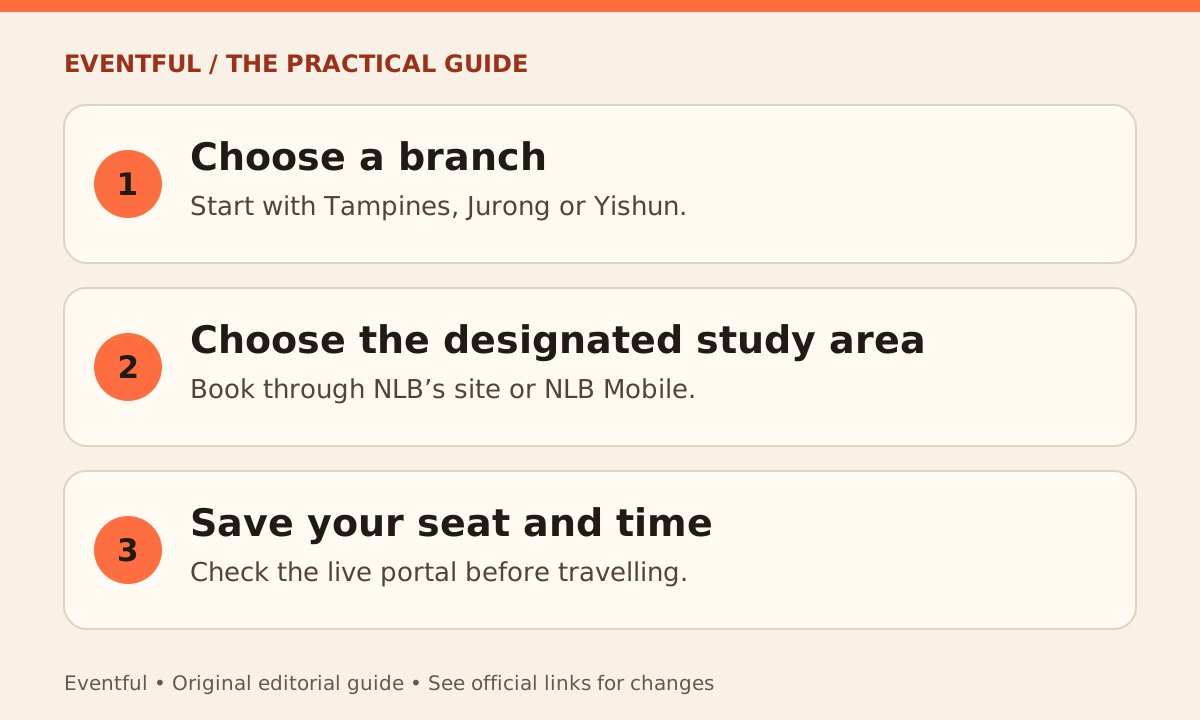
Photo: Eventful editorial illustration
Tampines: look for the Study Lounge
Tampines Regional Library’s Study Lounge is bookable through NLB’s website and the NLB Mobile app. Choose Tampines Regional Library and the designated area, then confirm the time before you leave. Do not assume a lounge, discussion area or reading seat elsewhere in the library follows the same booking process.
Jurong and Yishun: check the area as well as the branch
NLB’s Jurong Regional Library visitor guide shows the study area and the on-site booking QR code. The Yishun Public Library visitor guide identifies study areas where seats can be reserved through NLB Mobile. Consult the live portal for the branches and spaces currently available, especially around holidays or changes to a branch’s location.
Book only the time you will use
Use NLB Mobile or the official seat-booking site, follow the confirmation instructions and note which area and seat you chose. Check the same portal if you need to change or cancel. If no slots are available, check a nearby branch before assuming an empty-looking seat is free.